


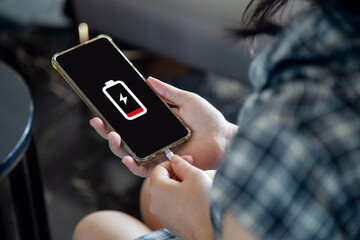
We all hate seeing that battery drop into the red before lunch. The good news is: with a few tweaks, your phone can easily stretch through the day without constant charging. These 5 tips turn power drains into power savers, use them, and your phone will work harder so you don’t have to.
1. Kill unused accounts and background noise
If your phone is signed in to accounts you rarely use, cut them off, every account syncs, checks, pulls updates, drains battery. Next level: turn off keyboard sounds, vibrations, and other small but constant energy drains. They seem trivial, but small drains add up fast.
2. Manage location and background apps like a pro
Location services are battery demons when left on. Unless you’re using navigation or ride-hailing apps, disable them. Similarly, apps running in the background that you’re not actively using? Close them. Yes, the system handles some background stuff, but user-clean-up stops unnecessary wakeups and syncs.
3. Smart display settings go a long way
Your screen is one of the biggest energy drains. Lower the brightness, use adaptive or auto-brightness if your phone supports it. Dark theme or dark mode helps, especially on OLED or AMOLED screens. Also, reduce how long the screen stays on when idle. These changes save a lot of juice without hurting usability.
4. Use battery saver mode strategically
When your battery dips, switch to battery-saver mode. It limits background activity, cuts down on non-essential processes, and helps stretch the remaining hours. Use it for heavy usage times (travel, long meetings, outdoors) and toggle it off when full power isn’t needed.
5. Don’t overcharge, unplug when full
Leaving your phone plugged in after it reaches 100% seems harmless, but lithium-ion batteries dislike staying at full charge for too long. Unplug once it's full. It’s a simple move, but helps reduce battery stress and long-term degradation.
All these tweaks take only a few minutes to apply, but their impact is massive. If you combine these five, you’ll notice your phone lasting well beyond what it used to by evening.
Want to stretch battery life even more? Look for phones with larger batteries, efficient chips, and power-friendly OS tweaks. Because nothing beats peace of mind over scrambling for a charger in the middle of the day.